
Work Automation: Automating the Job, Not Just the Task
Short answer. On this page, work automation means handing a whole piece of a job, such as a request from intake to follow-up, to software, rather than automating one click or one step of it.
The thirteen tools on this work automation page automate different layers of work, from chat assistants to pipelines. Reviews analysed differ by tool, and the table shows each tool's count; prices were read on or after Nov 13, 2026.
Facts read on each vendor's public pages between Nov 13 and Nov 14, 2026 · How we compare
Three picks, each by a rule you can check
No score and no opinion: each card names the rule that picked the tool, the fact behind it, and what the tool gives up. No tool gets two cards: when a rule lands on a tool already shown, the card takes the next one and says so.

19,000+ public reviews as of Sep 2026; 3 reviews analysed on this site.
Not offered or not published: a free trial
104 reviews analysed on this site.
Not offered or not published: a refund optionAll 13: type a feature, tick what you must have
Ten buyer checks read on each vendor's pages, what the tool does as the vendor lists it, the two things reviewers say most, and how many reviews were analysed. Your must-haves and your sort make the order.
✓ published by the vendor · ✕ not offered, per the vendor's pages · A row shows up to five ✓; see each review for the others.
Firm monthly price: a dollar price per month, billed monthly. SOC 2: an outside audit of how a vendor protects your data. SSO: logging in with your company account. CRM: the software a sales team uses to track contacts and deals. Seat: one user on a paid plan. Public reviews: the totals published by the review sites we count, added up. Reviews analysed: the public reviews we sorted by topic. Mentions: how often a topic comes up, counted apart for praise and criticism. For most tools on this site, we add the topic counts one review site publishes to the counts from the reviews we analysed on other sites. Topics are listed in order of how often they come up.
| Tool | Entry price | Before you pay | What reviewers say | Actions |
|---|---|---|---|---|
| SalesforceTrack deals (CRM)Activity capture, Forecasting, Workflow automation |
$25/seat /mobilled monthly or annually30-day free trial | ✓ Firm monthly price✓ Free plan✓ Free trial✓ No card to try✓ Pay month to month✕ No refund | Praised Ease of useCriticised Learning curve82 reviews analysed · 46,000+ public reviews | |
| ClickUpAutomate your appsTasks, Automations, API |
$12/seat /mono free trial stated | ✓ Firm monthly price✓ Free plan✓ No card to try✓ Pay month to month✓ Refund possible | 3 reviews analysed: too few for a trend3 reviews analysed · 19,000+ public reviews | |
 HubSpotTrack deals (CRM)Run outreach sequencesSequences, LinkedIn actions, Calling |
From $10/seat /mo14-day free trial | ✓ Free plan✓ Free trial✓ Pay month to month✓ SOC 2 stated✓ Company login (SSO)✕ No refund | Praised Ease of useCriticised Learning curve85 reviews analysed · 14,000+ public reviews | |
| ApolloFind contacts (database)Run outreach sequencesContacts database, Enrichment, Sequences |
$65/seat /mo14-day free trial | ✓ Firm monthly price✓ Free plan✓ Free trial✓ No card to try✓ Pay month to month✕ No refund | Praised Ease of useCriticised Data accuracy104 reviews analysed · 11,000+ public reviews | |
 ZapierAutomate your appsZap workflows, MCP, Tables |
From $29.99/mo14-day free trial | ✓ Free plan✓ Free trial✓ No card to try✓ Pay month to month✓ SOC 2 stated✕ No refund | Praised Ease of useCriticised Price level15 reviews analysed · 5,400+ public reviews | |
 KlaviyoEmail & SMS marketingEmail, SMS, Segmentation |
$20/mono free trial stated | ✓ Firm monthly price✓ Free plan✓ Pay month to month✓ SOC 2 stated✓ Company login (SSO)✕ No refund | Praised Ease of useCriticised Price level101 reviews analysed · 2,200+ public reviews | |
 MondayTrack deals (CRM)Lead sourcing, Calling, Meeting notes |
≈ $15 (CA$21)/seat /mo14-day free trial | ✓ Free trial✓ No card to try✓ Pay month to month✓ Refund possible✓ SOC 2 stated | Praised Ease of useCriticised Learning curve77 reviews analysed · 2,200+ public reviews | |
 MakeAutomate your appsAI agents, Maia, MCP server |
$16/mono free trial stated | ✓ Firm monthly price✓ Free plan✓ No card to try✓ Pay month to month✓ SOC 2 stated✕ No refund | 3 reviews analysed: too few for a trend3 reviews analysed · 930+ public reviews | |
 GeminiGeneral AI assistantDeep Research, Google apps, Long context |
$4.99/mobilling period not statedno free trial stated | ✓ Free plan✕ No refund | No user reviews analysed: facts only710+ public reviews · none analysed | |
 ClaudeGeneral AI assistantConnectors, Scheduled tasks, Web search |
$20/mono free trial stated | ✓ Firm monthly price✓ Free plan✓ Pay month to month✓ SOC 2 stated✓ Company login (SSO) | 1 review analysed: too few for a trend1 review analysed · 530+ public reviews | |
 n8nAutomate your appsAI agents, Code steps, Integrations |
≈ $27 (€24)/mo14-day free trial | ✓ Free plan✓ Free trial✓ No card to try✓ Pay month to month✓ Refund possible | 4 reviews analysed: too few for a trend4 reviews analysed · 410+ public reviews | |
 Relevance AIAutomate your appsInvent, AI agents, AI Workforce |
$29/mono free trial stated | ✓ Firm monthly price✓ Pay month to month✓ SOC 2 stated✓ Company login (SSO)✓ Connects to your CRM✕ No free plan✕ No refund | 3 reviews analysed: too few for a trend3 reviews analysed · 23 public reviews | |
 OpenAIGeneral AI assistantText and tools, Agents, Audio |
$0.10/1M tokensusage-basedno free trial stated | ✓ SOC 2 stated✓ Company login (SSO)✓ Live support✕ No refund | No user reviews analysed: facts onlyPublic reviews not counted | |
| Does not match your must-haves | ||||
No tool matches this search. A feature that is not listed here may still exist: we show what each vendor publishes.
Entry prices read on each vendor's public pricing page; the oldest reading dates from Nov 13, 2026. Some of these prices have not been read again for 6 months. Check the vendors' pages before you buy. Public review counts as of Sep 2026. ≈ marks our US dollar conversion at European Central Bank euro reference rates of Oct 30, 2026.
Default order, the same on every list: the tools with the most public reviews first, then by name. The table shows the main checks; see each review for the others. Your must-haves move the other tools below the line; nothing is hidden. How we compare
5 of these 13 tools have an affiliate link. The order does not use that information: a script checks it before publication.
The six most reviewed, in detail
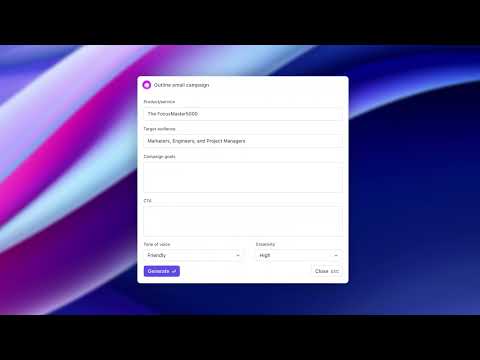
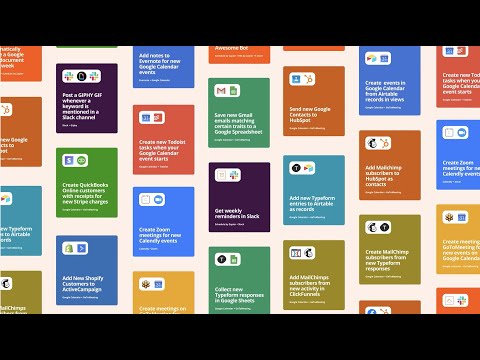
The six tools with the most public reviews: what reviewers say, what each vendor publishes before you pay (see each review for the other checks), and the vendor's own demo.
- Ease of usepraised
- Feature rangepraised
- Integrationspraised
- Learning curvecriticised
 ▶
Published by the vendor · 11 min
- 3 reviews analysedtoo few for a trend
 ▶
Published by the vendor · 2 min
- Ease of usepraised
- Feature rangepraised
- Results and time savedpraised
- Learning curvecriticised
 ▶
Published by the vendor · 10 min
- Ease of usepraised
- Results and time savedpraised
- Feature rangepraised
- Data accuracycriticised
 ▶
Published by the vendor · 2 min
- Ease of usepraised
- Integrationspraised
- Results and time savedpraised
- Price levelcriticised
 ▶
Published by the vendor · 1 min
- Ease of usepraised
- Feature rangepraised
- Integrationspraised
- Price levelcriticised
 ▶
Published by the vendor · 3 min
Beyond the table
What separates these tools is the layer of work each one automates, the unit its plan counts and the review evidence behind each tool. The sections below take those three in turn.
These tools automate different layers of work, from chat to pipelines
Here, knowledge work automation means handing writing, research and analysis done at a desk to software. Claude lists Skills for repeatable work. Gemini lists custom skills for repeated requests.
Builders chain steps across apps instead. Zapier connects to 9,000+ apps and runs multi-step Zaps, while n8n lists code steps in JS or Python. Make lists a visual no-code workflow builder and 3,500+ apps, read on Nov 14, 2026.
CRMs, work platforms and marketing tools automate a pipeline, a project or a campaign. Salesforce lists drag-and-drop workflow automation. HubSpot lists A/B tests on sequence emails. ClickUp connects to 1,000+ tools. Klaviyo builds flows that span email, text, WhatsApp, mobile push, web and social.
Each tool counts its plan allowance in a different unit
Plan limits read between Nov 13 and Nov 14, 2026 do not line up, because each tool counts a different thing. Zapier counts tasks: Professional lists 750 tasks per month. n8n counts workflow executions, with 2.5k on Starter. Relevance AI counts Actions, with 2,500 a month on Pro. Make counts credits, with 10,000 a month on Core. Monday counts active contacts and deals, 1,000 on Basic, and Klaviyo counts active profiles, 250 on its Free plan. HubSpot counts HubSpot Credits, 500 on Starter, and Apollo counts credits per seat, 2,500 a month on Basic. OpenAI bills tokens, at $0.10 per million tokens for GPT-6 Luna input.
Reviews analysed differ widely between tools
The review evidence is unequal. Claude has 1 review analysed, ClickUp 3, n8n 4, Make 3 and Relevance AI 3, so each is shown as too few for a trend. Gemini and OpenAI have no user reviews analysed, so this page states their vendor facts only.
Apollo has 104 reviews analysed, HubSpot 85, Klaviyo 101, Monday 77, Salesforce 82 and Zapier 15. A tool with under 10 reviews analysed, or under 20 mentions, is shown as too few for a trend on this page. Read each count next to the facts the vendor lists.
Before you choose
Here, workplace automation means software that carries out recurring steps of a job without a person doing each one. This page covers 13 tools, from AI assistants and a model API to workflow builders, sales and CRM tools, a work platform and a marketing platform.
Up to September 2026, Salesforce's reviewers raise learning curve and price: its Learning curve draws criticism and some praise, and its Price level draws criticism. This page does not measure the cost of changing how a team works.
This page does not order kinds of work; it compares 13 tools by what their pages list. The Layers section above reads which layer of work each tool automates, from chat to pipelines.
The pages read show seat and setup rules as team costs: Monday's plans start from 3 users, Apollo's Organization plan requires a minimum of 3 seats, and HubSpot's Sales Hub Professional plan needs a $1,500 one-time onboarding fee. This page does not test the other challenges of a team rollout.
Here, a single task is one step, such as sending one message, while work automation chains many steps into one job. Zapier's Free plan lists 100 tasks per month and two-step Zaps, and multi-step Zaps start on Professional.
This page cannot say: it compares 13 tools by their vendor pages and the reviews analysed, not the future of work automation or the labour market. What the tools list are steps of a job, such as qualifying leads, booking meetings or running a recurring task.
Where to go next
The pages this list links to: its category, neighbouring lists and guides.
Affiliate linksThis page contains affiliate links: some vendors pay us a commission when you subscribe through their Try or Choose button. Facts come from each vendor's public pages and trends from public user reviews, on the same checklist for every tool. Affiliate disclosure
The main buyer checks; see each review for the others.